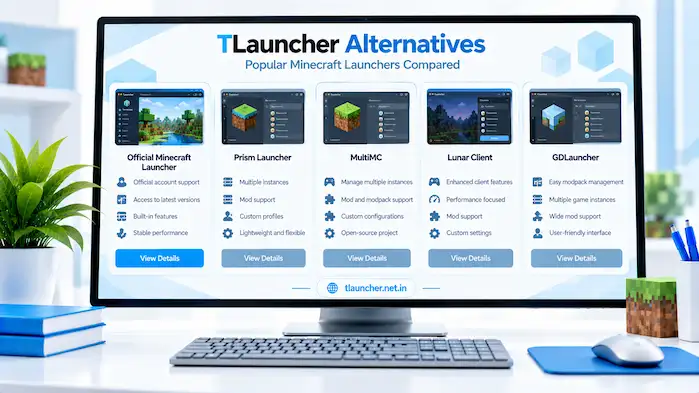
TLauncher Alternatives give Minecraft users other launcher options for managing game versions, mods, modpacks, accounts, and settings. Each launcher uses its own approach, so the available features can differ. Some focus on official Minecraft services, while others focus on separate game instances, mod management, or client features. This guide explains the main options users may consider when looking beyond TLauncher. It covers the Official Minecraft Launcher, Prism Launcher, MultiMC, Lunar Client, and GDLauncher. It also explains common features and points to check before choosing a launcher.
What Are TLauncher Alternatives?
TLauncher Alternatives are other Minecraft launcher programs that can provide different ways to install, manage, or start Minecraft. The right option depends on the Minecraft edition, account type, mods, modpacks, and other features a user needs. Users should check each launcher’s supported systems and Minecraft requirements before installing it. A launcher made for one type of setup may not provide the same features as another.
Why Consider a TLauncher Alternatives?
Users may look for another launcher because they want different account support, instance management, mod tools, or game features. Some may also prefer a launcher that focuses on official Minecraft services. The reason for switching can affect which features matter most. Users should identify their needs first and then compare the available launchers.
Users who want a broader overview can visit the TLauncher homepage to learn about its main features, Minecraft versions, Java, mods, skins, and servers.
Different Minecraft Launcher Types
Minecraft launchers can use different approaches. Some focus on official game access and updates. Others provide tools for managing separate Minecraft instances or modpacks. Client-focused software can also include extra gameplay features. These differences mean that two launchers may solve different problems even when both start Minecraft.
Choosing Based on Your Needs
Users should consider the Minecraft edition they play, their account type, operating system, mod requirements, and preferred game setup. Java settings, multiplayer support, and instance management may also matter. Checking these points before installation can make the choice easier. Users should also review the launcher’s current requirements and documentation.
Official Minecraft Launcher
The Official Minecraft Launcher is designed to work with official Minecraft services and account access. It provides a standard way to manage supported Minecraft installations and start the game. Its setup differs from third-party launchers. Users who want official account integration should check the current Minecraft requirements before installation.
Official Account Support
The official launcher works with Minecraft account access provided through official Minecraft services. Users can sign in through the supported account system. Account requirements can depend on the Minecraft edition being used. Users should check the current official requirements before setting up the launcher.
Minecraft Version Management
The official launcher can provide access to supported Minecraft versions and installations. The available versions depend on the Minecraft services and launcher configuration. Users who need older releases should check which versions are available and what requirements apply to each one.
Installation and Updates
The launcher manages its installation through the supported Minecraft setup. Updates can change the launcher or game files over time. Users should keep enough storage available for Minecraft files and updates. They should also use the official source when downloading the launcher.
Who Uses the Official Launcher?
The official launcher can suit users who want to access Minecraft through official services and account systems. It provides a different setup from third-party launcher options. Users who need advanced instance or modpack management may want to compare its available tools with other launchers.
Prism Launcher
Prism Launcher focuses on managing separate Minecraft instances. An instance can keep its own Minecraft version, settings, mods, and other files. This approach can help users organize different game setups. Each instance can be configured for a specific purpose instead of changing one shared installation.
Prism Launcher Features
Prism Launcher provides tools for creating and managing Minecraft instances. Users can keep different configurations separate from each other. The available features can depend on the launcher version and Minecraft setup. Users should check its current documentation before installation.
Minecraft Instance Management
An instance is a separate Minecraft setup with its own configuration. Users can create different instances for different Minecraft versions or mod collections. This can make testing easier because one setup can remain unchanged while another is modified.
Mod and Modpack Support
Prism Launcher can manage modded Minecraft instances. Users can create an instance and add compatible mods based on its Minecraft version and mod loader. Mod compatibility still matters. A launcher cannot make an incompatible mod work with a different Minecraft version.
Prism Launcher Setup
Users should download the launcher from a source they can verify. After installation, they can create an instance and select the required Minecraft version. The next step depends on whether the user wants a basic or modded setup. Testing a simple instance first can help confirm that the launcher works.
MultiMC
MultiMC is a Minecraft launcher focused on managing separate instances. Each instance can have its own Minecraft version, settings, and custom content. This model is useful for users who want to keep multiple Minecraft setups apart. It also gives users a clear way to organize different configurations.
MultiMC Features
MultiMC provides instance management tools for Minecraft Java Edition. Users can create separate game setups instead of keeping every configuration in one installation. The exact feature set can vary by version. Users should check the current project information before installing it.
Minecraft Instance Management
Each instance can use its own Minecraft version and configuration. This allows users to maintain different setups for different worlds or mod collections. Keeping instances separate can also make troubleshooting easier. A problem in one instance does not need to affect another.
Mod Support
MultiMC-based setups can work with compatible Minecraft mods and mod loaders. Users still need to follow the requirements of each mod. The Minecraft version, loader, and mod version should match. Missing dependencies can cause launch problems.
MultiMC Setup
Users should check the current requirements before installing MultiMC. After setup, they can create an instance and select the required Minecraft version. Users should test the basic instance before adding extra mods or custom files. This creates a simple starting point for troubleshooting.
Lunar Client
Lunar Client is a Minecraft client that combines game launching with additional client-side features. Its approach differs from a general-purpose launcher focused on managing separate instances. The available features can depend on the supported Minecraft versions and current client release. Users should check the current requirements before installation.
Lunar Client Features
Lunar Client can provide additional client features designed around Minecraft gameplay. These can include interface and performance-related tools. Users should check the current feature list because client features can change between releases.
Performance and Client Features
Client software can include settings intended to improve the Minecraft experience or provide extra gameplay tools. Performance can still depend on the user’s hardware and selected settings. A client cannot remove all hardware limits. Users with performance problems should also check graphics settings, RAM, and background applications.
Minecraft Versions
Minecraft version support can vary between client releases. Users should check the supported versions before choosing a client for a specific world or server. Version compatibility is important when using mods or joining multiplayer servers.
Lunar Client and TLauncher
Lunar Client for TLauncher is a common search topic, but Lunar Client and TLauncher are separate software options. Users should not assume that one launcher can be installed inside the other. Users interested in Lunar Client should check its own installation process and supported Minecraft versions.
GDLauncher
GDLauncher focuses on Minecraft management with tools for modded setups and modpacks. Its features can differ from other launchers based on the version and supported services. Users who work with larger mod collections may want to examine how its instance and modpack tools fit their setup.
GDLauncher Features
GDLauncher can provide tools for creating and managing Minecraft game setups. Its interface and workflow differ from other launcher options. Users should check the current software requirements and supported Minecraft versions before installation.
Modpack Management
Modpacks contain groups of Minecraft mods and related files designed to work together. A launcher with modpack tools can make these collections easier to manage. Users should still check the modpack’s Minecraft version and required loader. A modpack can fail when one of its required components does not match.
Minecraft Version Support
Minecraft version support can differ between launchers and their releases. Users should check the version they need before choosing a launcher. This is important for older worlds, specific mods, and multiplayer servers that require a particular release.
GDLauncher Setup
Users should obtain the launcher from a source they can verify. After installation, they can review the available Minecraft and modpack options. Starting with a simple setup can help users understand the interface before adding a large modpack.
TLauncher vs Alternatives
Comparing TLauncher Alternatives works best when users look at specific features instead of treating every launcher as the same. Account support, instance management, mods, modpacks, Java settings, and multiplayer can differ. The sections below describe these differences without assuming that one launcher fits every Minecraft setup.
TLauncher vs Official Minecraft Launcher
TLauncher and the Official Minecraft Launcher use different approaches to Minecraft management. The official launcher connects with official Minecraft services and account access, while TLauncher offers its own launcher environment. Users should compare account requirements, supported Minecraft editions, version management, and other features based on their needs.
TLauncher vs Prism Launcher
TLauncher and Prism Launcher can approach Minecraft setup management in different ways. Prism Launcher places strong emphasis on separate Minecraft instances. Users who want multiple isolated configurations may examine Prism’s instance tools. Users should also check the Minecraft versions, mods, and account systems they need before choosing a setup.
TLauncher vs MultiMC
TLauncher and MultiMC differ in how they organize Minecraft installations. MultiMC focuses on separate instances with their own configurations. Users can compare instance management, Minecraft version support, mod setup, and general workflow when reviewing both options.
TLauncher vs Lunar Client
TLauncher and Lunar Client serve different purposes. Lunar Client combines Minecraft launching with additional client features, while TLauncher focuses on its own launcher setup. Users should compare the features they actually need, including supported versions, client tools, mods, accounts, and multiplayer access.
TLauncher vs GDLauncher
TLauncher and GDLauncher can differ in their approach to Minecraft and modpack management. GDLauncher places attention on modded Minecraft and modpack workflows. Users should check modpack support, Minecraft versions, system requirements, and account needs before selecting a launcher.
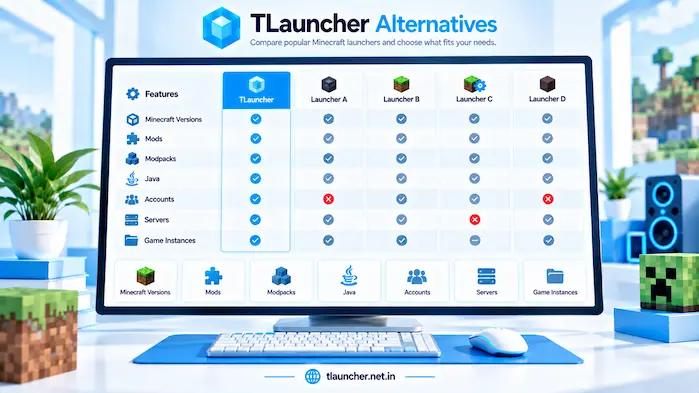
TLauncher Alternatives Features
Different launchers provide different combinations of Minecraft management tools. Users should compare features based on their own setup instead of assuming that every launcher supports the same options.
TLauncher Alternatives Minecraft Version Support
Minecraft version support is important when users work with older releases, newer releases, mods, or servers. A launcher may support some versions but not others. Users should check the exact version they need before installation. This is especially important for modded Minecraft.
TLauncher Alternatives Mods and Modpacks
Mod support can vary between launchers. Some provide tools for separate instances, while others focus on modpacks or client features. Users should check the required Minecraft version and mod loader for every mod or modpack. The launcher does not replace those compatibility requirements.
TLauncher Alternatives Skins
Skin support depends on the Minecraft setup and account system. Users should check how a launcher handles skins before moving from one setup to another. A skin that works in one environment may need different account or game settings in another.
TLauncher Alternatives Java Settings
Minecraft Java Edition needs a compatible Java environment. In addition, launchers can provide different ways to select or manage Java. Therefore, users should follow the Java requirements for their chosen Minecraft version. However, changing advanced Java settings without a clear reason can create launch problems.
TLauncher Alternatives Account Support
Account support can be one of the biggest differences between launchers. The official Minecraft launcher uses official account services, while other launchers may use different account or authentication options. Users should check the account requirements before installation and avoid entering credentials into unknown software.
TLauncher Alternatives Multiplayer and Servers
Server access depends on the Minecraft version, account requirements, mods, and server configuration. The launcher alone does not guarantee access to every server. Users should check the server’s current requirements before changing their Minecraft setup.
TLauncher Alternatives Safety
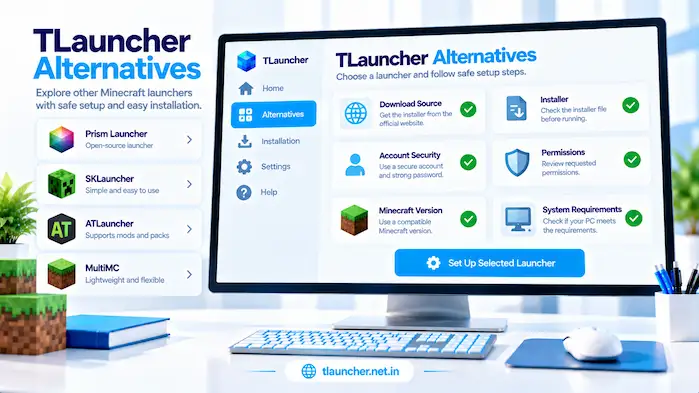
Safety matters when installing any Minecraft launcher. Users should check the download source, installer, permissions, and software behavior before allowing a program to run. A launcher should be downloaded from a source that users can identify and verify. Security tools should also remain active during the download and installation process.
Download Sources
Users should check the official website or project source for the launcher they want to install. Random download pages can provide files that differ from the expected software. Before opening an installer, users should confirm that the file matches the software they intended to download.
Installer Checks
Users should check the installer file before opening it. The file name, extension, source, and security warnings can provide useful information. If an installer behaves in an unexpected way, users should stop and check the file instead of ignoring the warning.
Account Security
Users should protect their Minecraft account credentials when using any launcher. Passwords should not be shared with unknown websites, programs, or server operators. Users should also review account prompts before entering login information. The software should clearly explain why account access is needed.
Software Permissions
Permissions allow software to access parts of a computer or its files. Users should review unexpected permission requests before accepting them. A permission that does not seem related to the launcher’s purpose should be checked before continuing with the installation.
Users who want information about checking installers and download files can visit the TLauncher Download page for download and installation guidance.
How to Choose a Minecraft Launcher
Choosing a Minecraft launcher depends on the setup a user wants to manage. Users should first identify their Minecraft edition, account type, required versions, mods, and preferred features. There is no single feature list that works for every player. A simple launcher may suit one setup, while instance or modpack tools may matter more to another.
For Official Minecraft Accounts
Users who want official Minecraft account access should check the Official Minecraft Launcher and other launchers that support the account system they use. Account requirements should be confirmed before installation. Users should also use trusted software when entering account credentials.
For Modded Minecraft
Modded Minecraft users should check Minecraft version support, Forge or Fabric support, mod compatibility, and instance management. A launcher that supports the required mod workflow can make setup easier, but users still need compatible mods and loaders.
For Multiple Game Instances
Users who maintain several Minecraft configurations may want instance management features. Separate instances can keep different versions, mods, and settings apart. Prism Launcher and MultiMC are examples of launchers built around this type of organization.
For Client Features
Users interested in additional gameplay or client features can examine software such as Lunar Client. The available features and supported Minecraft versions should be checked before installation. Hardware requirements can also matter when using extra client features.
For Modpacks
Users who work with large modpacks should check the launcher’s modpack management tools and supported Minecraft versions. GDLauncher and other launchers may offer different modpack workflows. Users should compare the tools with the modpacks they plan to use.
TLauncher Alternatives FAQs
What Are TLauncher Alternatives?
They are other launchers for managing Minecraft setups.
What Is a TLauncher Alternatives?
It is another software option for Minecraft management.
Is Prism Launcher a TLauncher Alternatives?
Yes, Prism Launcher is another Minecraft launcher.
Is MultiMC a TLauncher Alternatives?
Yes, MultiMC provides separate Minecraft instances.
Is Lunar Client a TLauncher Alternatives?
Lunar Client is a separate Minecraft client.
Is GDLauncher a TLauncher Alternatives?
Yes, GDLauncher supports Minecraft management and modpacks.
What Is the Official Minecraft Launcher?
It is the official launcher for Minecraft services.
Can TLauncher Alternatives Use Mods?
Support depends on the launcher and Minecraft setup.
Can TLauncher Alternatives Use Modpacks?
Some launchers provide tools for managing modpacks.
What Is Lunar Client for TLauncher?
Lunar Client and TLauncher are separate software options.
Which TLauncher Alternatives Supports Instances?
Prism Launcher and MultiMC use instance-based management.
Are TLauncher Alternatives Safe?
Safety depends on the software source and installation.
Conclusion
TLauncher Alternatives provide different ways to manage Minecraft versions, mods, modpacks, accounts, and game settings. The Official Minecraft Launcher focuses on official Minecraft services, while Prism Launcher and MultiMC use separate instance management. Lunar Client adds client-focused features, and GDLauncher provides tools for Minecraft and modpack management. Users should compare the features that match their own setup. Minecraft version support, account access, mods, modpacks, Java, multiplayer, and system requirements can all affect the choice. Before installing any launcher, users should check its source, requirements, permissions, and account system.